
TradingView: Track All Markets
TradingView Inc.Finance
4.712.92K Reviews
- Version
- Varies With Device
- Installs
- 50.00M
- Age Rating
- Everyone
Screenshots
Our Review of TradingView: Track All Markets
 Analysis by Appyee
When I’m deciding whether to add a finance app to my phone, I ask a practical question: will it help me understand what is happening in markets, or will it simply give me more numbers to check? TradingView: Track All Markets is built for people who want to follow prices, study charts and encounter ideas from other market participants in one place. I find it most useful as a market-research companion, rather than as a shortcut to making good trades.
Choose it for research, not a promise of results
TradingView is a finance app from TradingView Inc., and its broad approach is clear: it brings together market tracking, chart-based analysis, trading ideas and financial news. That combination can suit a curious beginner who wants to learn how people read a chart, as well as an experienced investor who likes to keep an eye on several markets. The key is to treat its tools as ways to ask better questions, not as instructions to buy or sell.
That distinction matters because a chart can make a possible pattern look more certain than it really is. Indicators and technical analysis are ways of interpreting price movement; they cannot remove risk or guarantee what happens next. I’d use the app to organise research and check an idea, then make decisions only after considering the wider context and my own tolerance for loss.
First Impressions and Interface
Right off the bat, I was impressed by the slick and intuitive interface of TradingView. The app opens up with a clean dashboard that doesn’t bombard you with unnecessary information. Everything seems to have its place, and navigating through different markets is a breeze. It feels like the developers really thought about the user experience here.
Customizable Charts
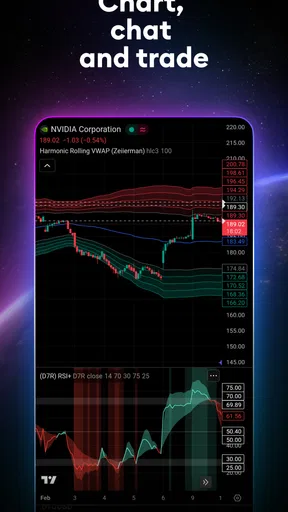
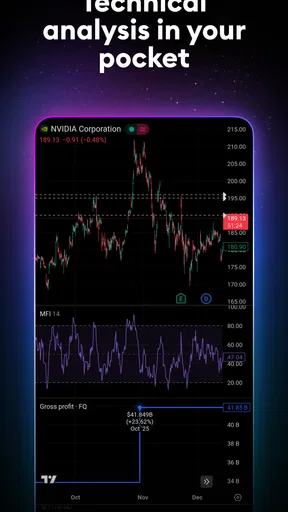
One of my favorite features is the app’s customizable charts. You can choose from a plethora of chart types and indicators, which is fantastic for anyone serious about technical analysis. Whether you’re a pro or just starting out, the flexibility here is a game changer. I spent a good chunk of time tweaking the settings to get the perfect view that suited my trading style.
There is a trade-off hidden in that flexibility: more indicators do not automatically create a clearer analysis. I’d start with a plain price chart and add only the tools that answer a specific question, such as whether momentum appears to be changing. If I add several indicators that all describe similar information, the screen gets busier without necessarily becoming more useful. Saving a simple view for everyday checks and keeping a more detailed setup for focused research is a sensible way to avoid turning chart customisation into its own hobby.
Charts are also more useful when I compare a market with something relevant rather than staring at one line in isolation. For instance, if I’m looking at a company’s share price, I might want to consider the broader market or a related sector before deciding that a move is meaningful. The practical benefit is not that a chart supplies the answer; it gives me a consistent place to inspect the evidence and notice what I still need to learn.
Real-Time Data
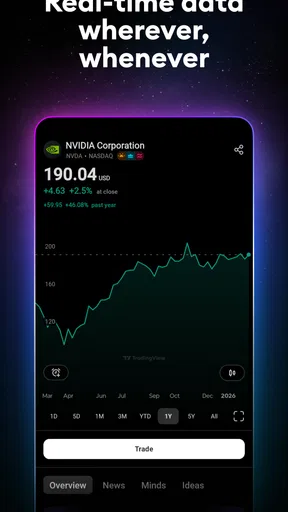
Accurate and real-time data is crucial when trading, and TradingView doesn’t disappoint. The app provides live updates across a multitude of markets, including stocks, forex, and cryptocurrencies. I found the data to be incredibly reliable during my testing, which is a massive plus for making informed decisions quickly.
For a careful user, it is still worth checking what a displayed quote represents before acting on it. Market data can differ by instrument and source, and the speed or availability of a quote should not be assumed to be identical everywhere. I’d use the app to monitor movement and build context, then verify the details that matter for a real transaction with the service where I plan to place it. That extra check is especially important when timing and execution price are central to a decision.
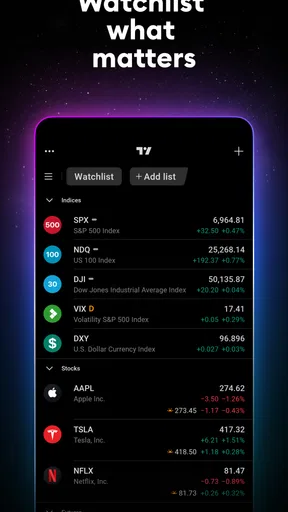
A realistic everyday use would be checking a short watchlist over breakfast, noting which prices have moved, and then opening a chart only for the few items that deserve attention. That is more manageable than scanning every market or reacting to each notification. For a long-term investor, the same routine can be used less often: review the chart to understand recent movement, read relevant financial coverage, and return to the original investment reasons rather than treating a daily fluctuation as a command.
Community and Social Features
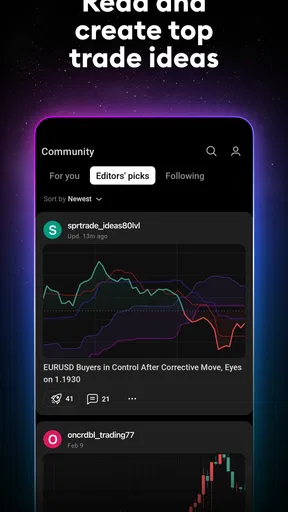
What surprised me was the robust community aspect of TradingView. You can follow other traders, share ideas, and even publish your own analysis. It’s like having a social network dedicated to trading. I found myself scrolling through user-generated content, which was both insightful and engaging. If you want to learn from others or showcase your skills, this feature is a must-try.
The best way I’ve found to approach public analysis is to treat it as a prompt for further investigation. A confident chart annotation may explain one person’s reasoning, but it does not tell me whether the assumptions suit my situation or whether the argument has considered the risks. I’d look for the logic behind an idea, compare it with the underlying chart and other information, and be wary of copying a trade simply because its presentation is persuasive. Community content can help me learn the vocabulary of technical analysis, but it cannot replace independent judgement.
That makes the social side a better fit for people who enjoy comparing viewpoints than for anyone who wants a quiet, purely personal tracker. If I find a stream of predictions distracting, I can focus my use on charts and market checks instead of treating the community feed as a required part of the app. The choice of how much social content to consume is part of using the product well.
Performance and Usability
Let’s talk about how the app performs during peak trading hours. I was pleasantly surprised by its stability. Even when the markets were going wild, TradingView handled the load without any hiccups. The app’s responsiveness is impressive, and I didn’t encounter any lag that would impact my trading decisions.
For a phone, the main usability question is not only whether a screen loads quickly, but whether I can read and act on the information without rushing. Detailed charts and layers of analysis are easier to inspect when I have time and a larger display; on mobile, I’d use a compact layout for monitoring and save complicated chart work for a focused session. This division of labour makes the app more practical and reduces the temptation to make a snap decision while distracted.
Cross-Platform Synchronization
If you’re a multi-device user like me, you’ll appreciate the cross-platform synchronization. I tested the app on both Android and iOS, and my settings and preferences were seamlessly synced. It’s incredibly convenient to switch devices without missing a beat.
For someone moving between devices, the useful habit is to establish a small, repeatable routine: keep the same core markets in view, use familiar chart settings and avoid making a phone setup so elaborate that it becomes hard to read elsewhere. A consistent workspace can make reviews easier to compare over time. I’d still check that the information on screen is the one I intend to use before acting, rather than assuming that a familiar layout means every detail has been checked.
Alerts and Notifications
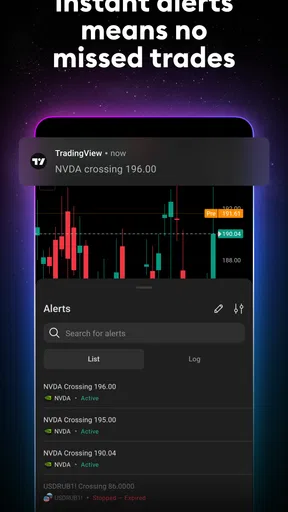
Another feature I found invaluable is the app’s alert system. You can set up custom alerts for price movements or indicator signals, ensuring you’re always in the loop. The notifications are timely, and I never felt overwhelmed by unnecessary alerts.
Alerts work best when they answer a narrow question. Instead of setting one for every small move, I’d choose a level or condition that would genuinely make me revisit an idea. That turns a notification into a reminder to review the situation, not a signal to trade automatically. If alerts start interrupting ordinary life, reducing their number is more useful than checking each one out of habit.
How it compares with other ways to follow markets
Compared with a basic brokerage app, TradingView is more naturally suited to chart study, broad market watching and exposure to other people’s analysis. A brokerage app may be the better daily home for someone whose main task is managing an account and placing orders. I see the two roles as complementary: one helps with research and monitoring, while the other is where a user handles their account activity.
Compared with a general financial-news app, TradingView puts more emphasis on visual market analysis and the conversation around it. A news-focused alternative may be a better fit if headlines and concise reporting are all someone wants, without a strong interest in chart tools or user-published ideas. On the other hand, a dedicated desktop charting setup may suit a specialist who needs an uninterrupted, larger workspace for extended analysis. The phone app makes most sense when portability and a mix of market views matter more than a single-purpose workflow.
There is also a learning curve. A newcomer may open a chart, see many possible indicators and assume that understanding the interface means understanding the market. I’d take it in stages: first learn to read the basic price display, then explore one indicator at a time, and only then decide whether more customisation helps. That approach makes the app less intimidating and gives each added tool a purpose.
Price, plans and the commitment involved
The app is free to download, with in-app purchases listed from $6.69 to $759.00 per item. That range is a reason to look carefully at what any optional purchase offers before paying, rather than assuming that a free starting point means every capability will remain free. I’d first use the app for the tasks I actually need, identify a specific limitation, and then decide whether an upgrade is worth considering. If the free experience already covers my routine, there is no reason to buy something simply because it is available.
TradingView has a 4.7 average from around 865,000 ratings, and it has been installed over 10 million times. Those figures suggest that it is widely used, but popularity cannot tell me whether its style suits my habits. It is rated for Everyone, though the subject matter still calls for adult judgement: market information can influence financial decisions, and no app can make those decisions risk-free. The app was released on November 14, 2018, and the developer is TradingView Inc.
The real cost of switching is less about learning a new button layout than rebuilding a routine. If I already follow markets through another app, I’d start by moving only a small set of watch items and recreating the chart views I genuinely use. I would not migrate every saved idea or notification at once. A gradual change makes it easier to see whether the app improves my research or simply adds another place to check.
Final Thoughts
After spending considerable time with TradingView: Track All Markets, I can confidently say it’s a powerhouse for traders of all levels. The combination of real-time data, community features, and customizable tools makes it a standout in the crowded marketplace of trading apps. Whether you’re a seasoned trader or a newbie, there’s something here for everyone.
If you’re looking for an app that can handle all your trading needs while providing a community to engage with, give TradingView a try. I’m pretty sure it’ll find a permanent spot on your home screen, just like it did on mine!
Who I’d recommend it to
I’d recommend it to someone who follows more than one kind of market, likes to study price movement visually, or wants to learn by comparing different analyses. It can also suit an investor who checks markets in short sessions and wants a consistent place to return to charts and financial coverage. The strongest reason to try it is the combination of research tools and market conversation, provided the user is willing to separate useful observations from confident speculation.
I’d suggest skipping it, or keeping it secondary, if all you need is a very simple account balance screen, a straightforward place to place orders, or a feed of headlines without chart work. It may also be a poor fit if notifications and market chatter make you anxious or encourage impulsive checking. In those cases, a simpler tracker, a broker’s own app, or a news-only service may support better habits.
My practical recommendation is to begin with one everyday task: follow a handful of markets, open charts when a move catches your attention, and use alerts sparingly. Add complexity only when you can explain what each tool contributes. Used that way, TradingView can make market research more organised and engaging; used as a stream of trade prompts, it can just as easily create noise. That difference is the key to deciding whether it belongs on your phone.
Verdict
Strengths of TradingView: Track All Markets
- User-friendly interface for beginners.
- Real-time data from multiple markets.
- Customizable alerts for price changes.
- Wide range of technical analysis tools.
- Community-driven insights and ideas.
Limitations of TradingView: Track All Markets
- Requires subscription for advanced features.
- Mobile app lacks some desktop features.
- Can be overwhelming for new traders.
- Occasional syncing issues across devices.
- Limited customer support options.
Similar Picks in This Category
View All
Google Wallet
Google LLC4.3

Airtel: Recharge, Bank & Loans
Airtel4.0

PayPal - Pay, Send, Save
PayPal Mobile4.2

DANA Indonesia Digital Wallet
PT Espay Debit Indonesia Koe4.5

Binance: Buy Bitcoin & Crypto
Binance Inc.4.8

Cash App
Block, Inc.4.7
Frequently Asked Questions
What features does TradingView offer for tracking different markets?
TradingView provides a comprehensive suite of tools to track various markets, including stocks, forex, cryptocurrencies, and commodities. Users can access advanced charting capabilities, real-time data, and customizable watchlists. The platform also supports technical analysis with numerous indicators and drawing tools, making it ideal for both novice and experienced traders.
Is TradingView free to use, or does it require a subscription?
TradingView offers a free plan with essential features, but there are also several subscription tiers that unlock more advanced functionalities. Paid plans include additional indicators, more detailed market data, and enhanced customer support. Users can choose a plan based on their trading needs and budget, ensuring flexibility for all types of traders.
How user-friendly is the TradingView app for beginners?
TradingView is designed with a user-friendly interface that caters to both beginners and advanced users. The app offers tutorials and community-driven tips to help new traders get started quickly. While the vast array of tools may seem overwhelming initially, the intuitive layout and helpful resources make it easier to navigate over time.
Can I use TradingView on multiple devices?
Yes, TradingView is accessible on multiple devices including smartphones, tablets, and desktops. The app is available for both Android and iOS, and users can seamlessly sync their data across devices. This ensures that traders can monitor and analyze markets on the go without losing access to important information.
Does TradingView provide real-time data for all markets?
TradingView offers real-time data for many markets, but the availability can depend on the user's subscription plan. While basic data is generally available for free, more detailed information and specific market data might require a premium subscription. Users should check the specifics of each plan to ensure it meets their real-time data needs.
